Nine steps, one register.
From the first request to the investor's portfolio. Every step shows the actual screen intended for it.
- 01VORA
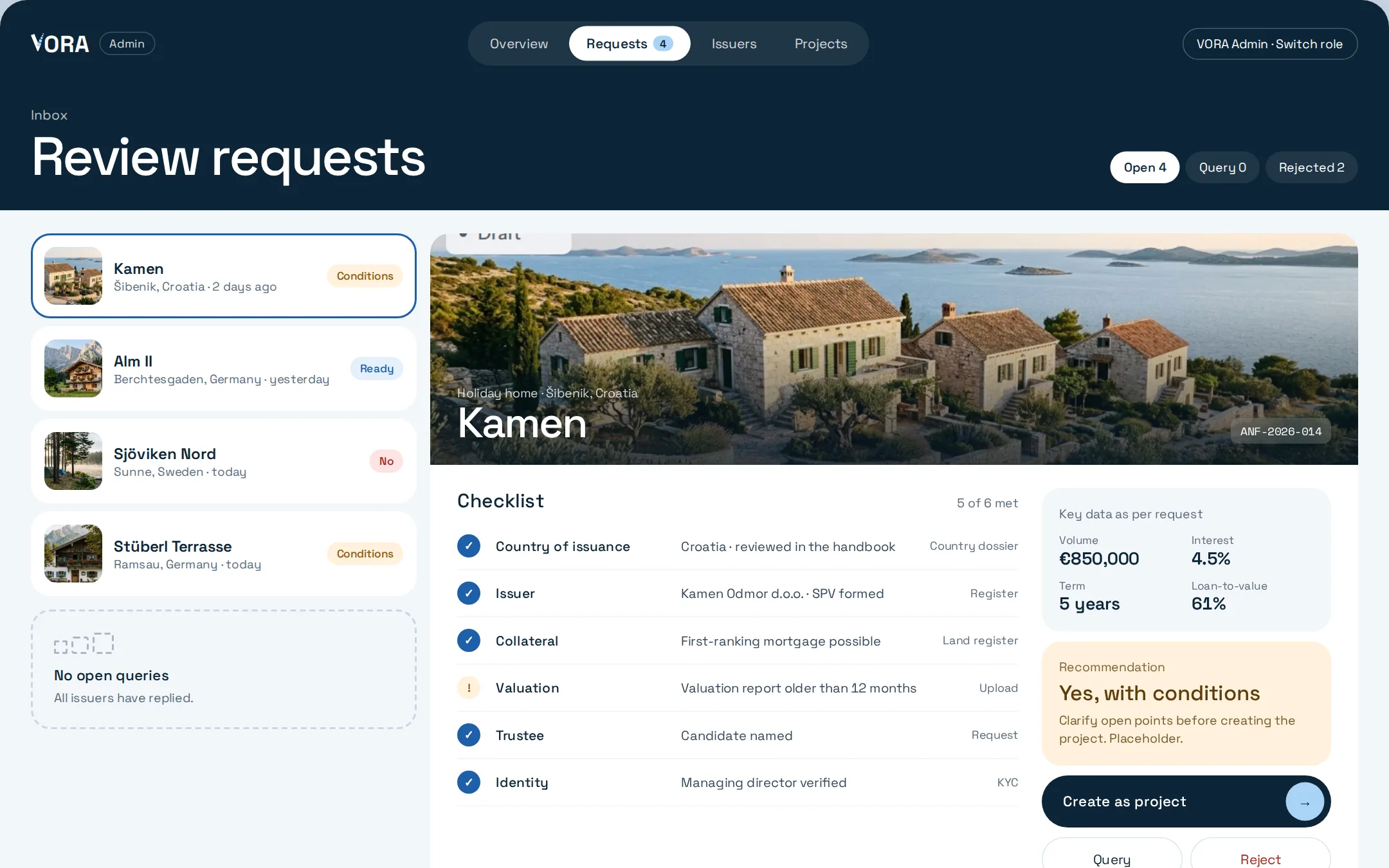
Review the request
Every request goes through a six-point checklist. Volume, interest, term and loan-to-value sit side by side, together with a recommendation. Only then is the request created as a project.
- 02ISSUER
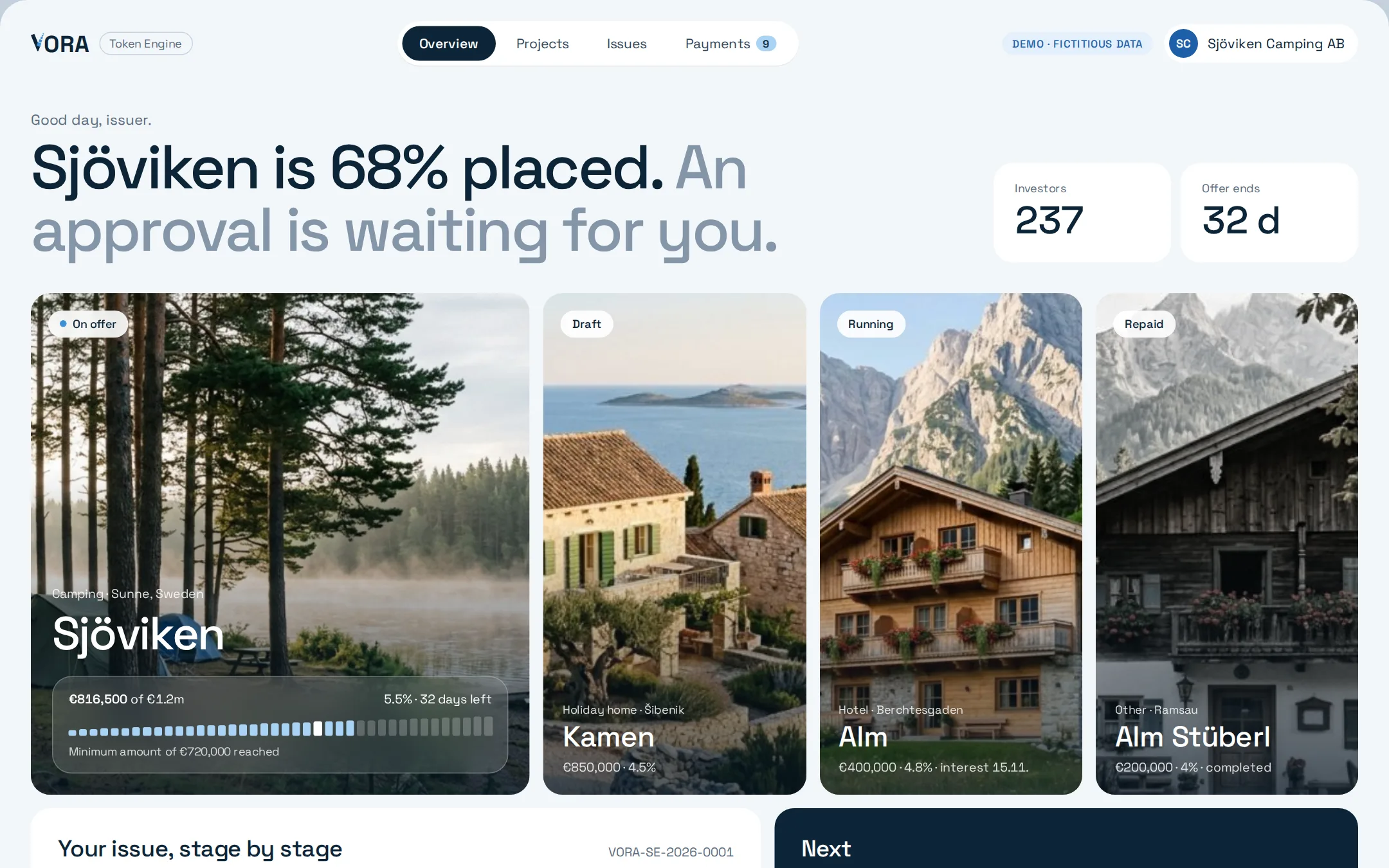
Prepare the issue
The issuer sees all projects and their issue stage by stage: master data and collateral, mandatory documents, review of the issuance. Each stage shows whose turn it is.
- 03ISSUER
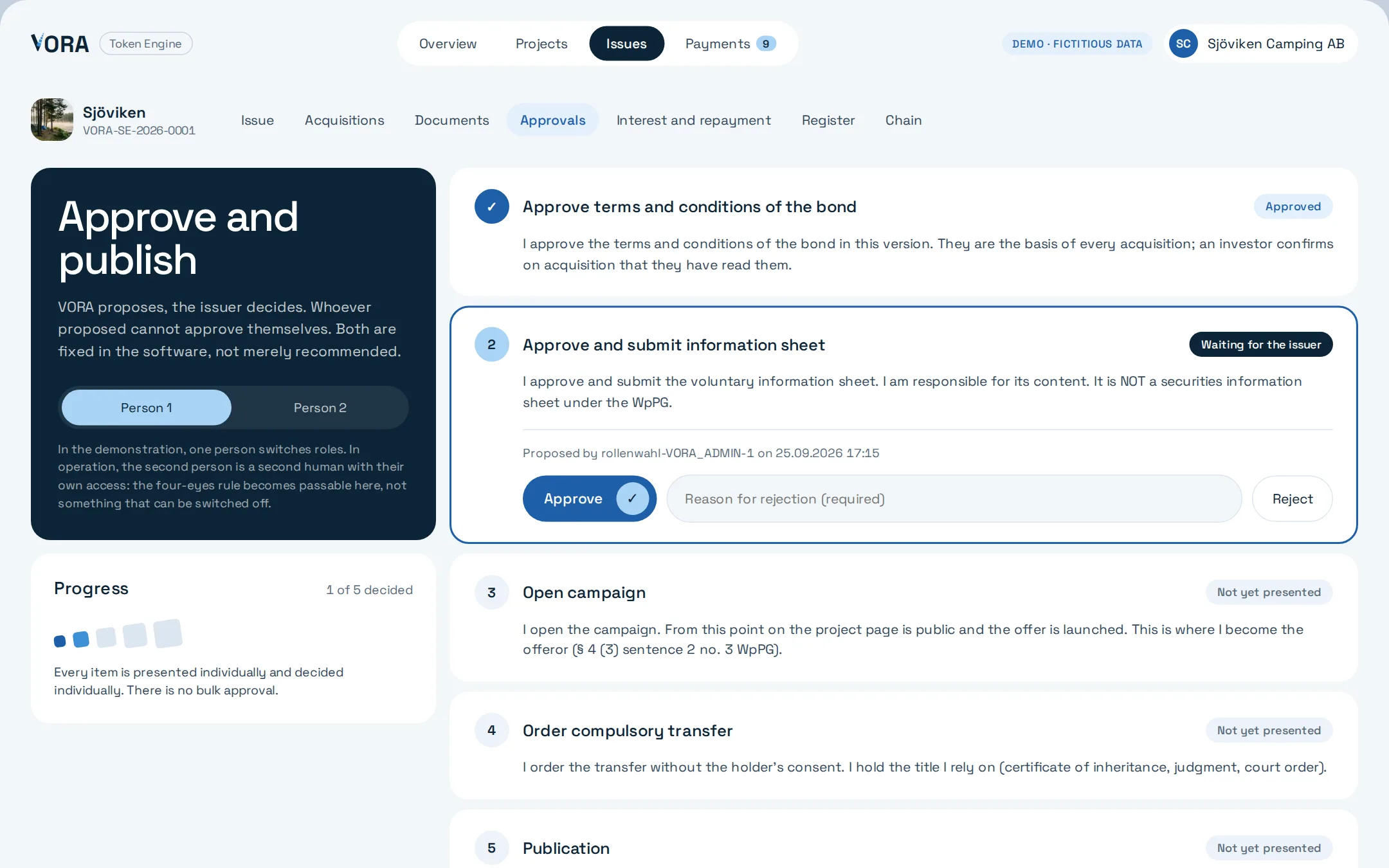
Approve
VORA proposes, the issuer decides. Whoever proposed cannot approve themselves. Every item is presented individually and decided individually.
- 04INVESTOR
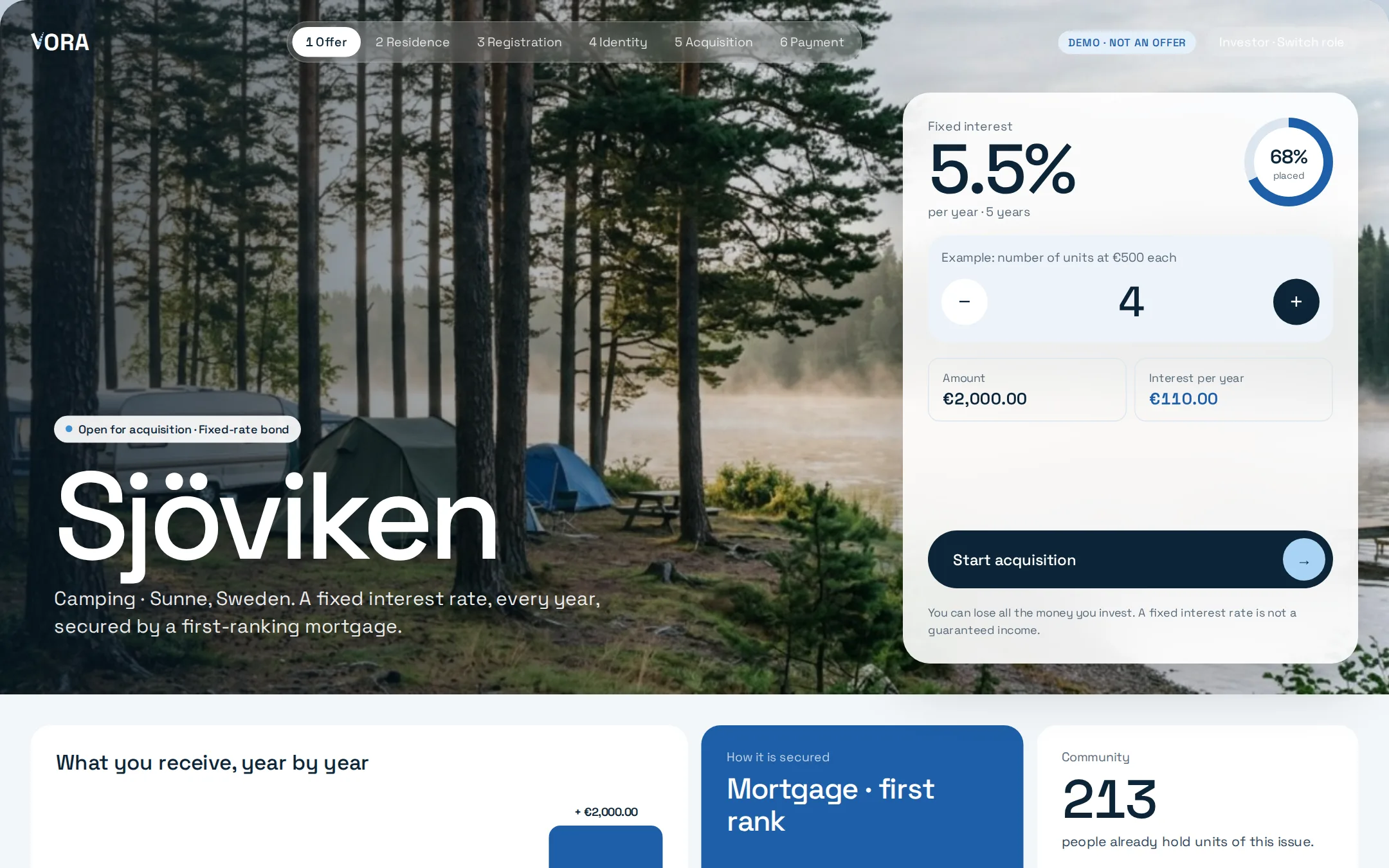
View the offer
Investors see interest, term, placement status and the collateral, such as a first-ranking mortgage. The risk notice sits right next to the amount.
- 05INVESTOR
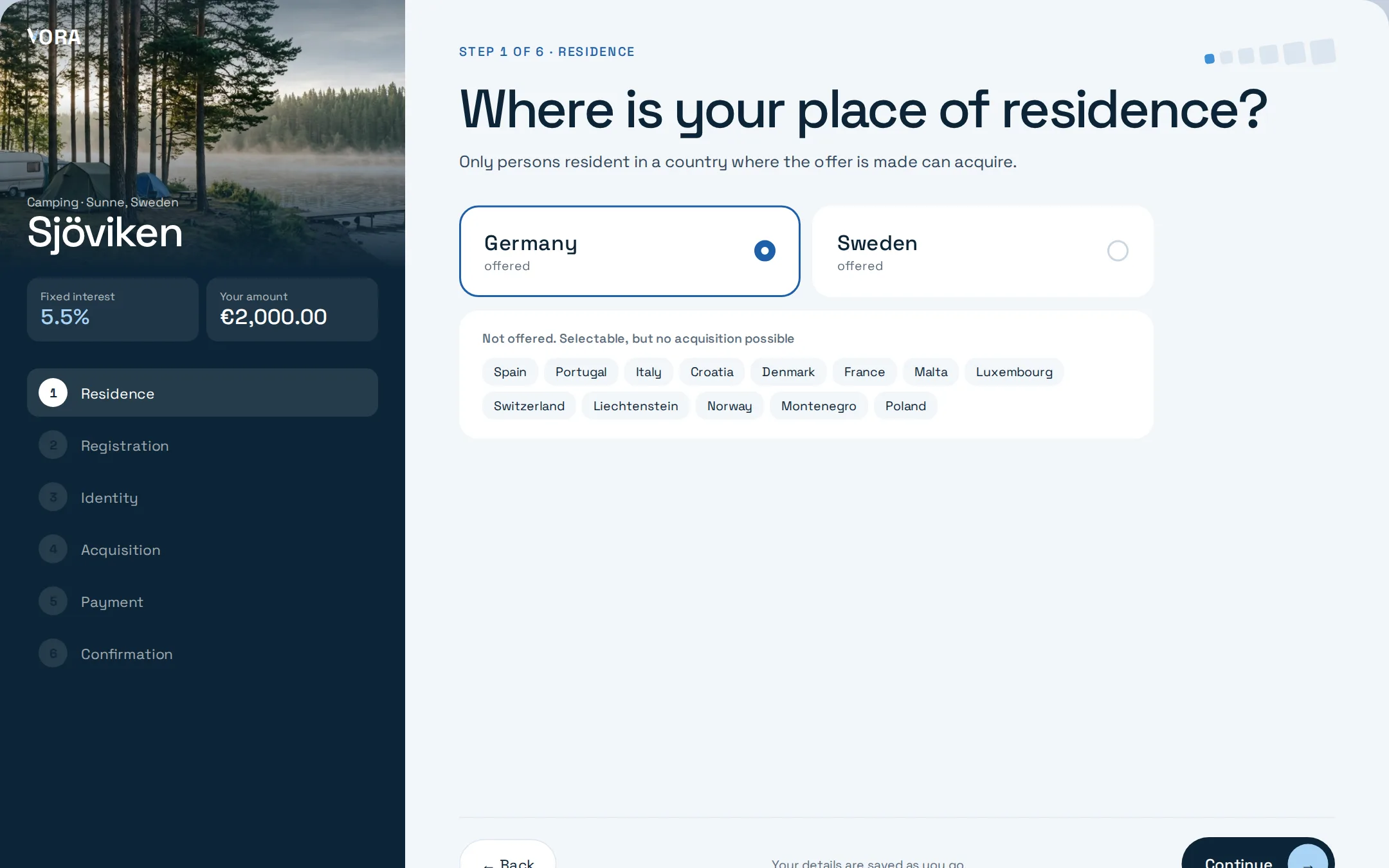
Acquisition in one window
Residence, registration, identity, acquisition and payment run in one continuous flow. If a step fails, the details entered so far are kept.
- 06ISSUER
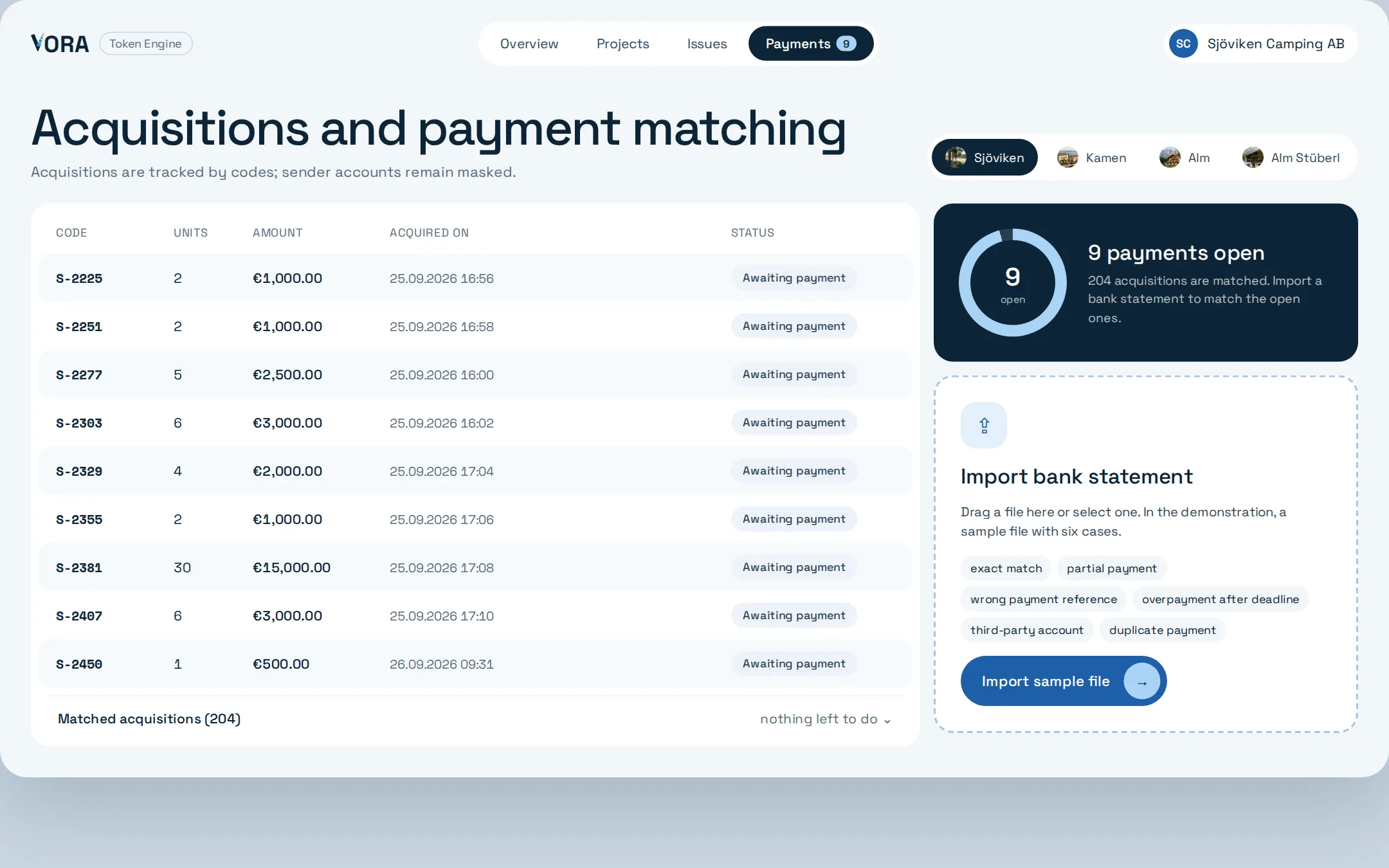
Match payments
Acquisitions run via codes, sender accounts stay masked. When the bank statement is imported, the software detects special cases such as partial payment, overpayment or duplicate payment.
- 07ISSUER
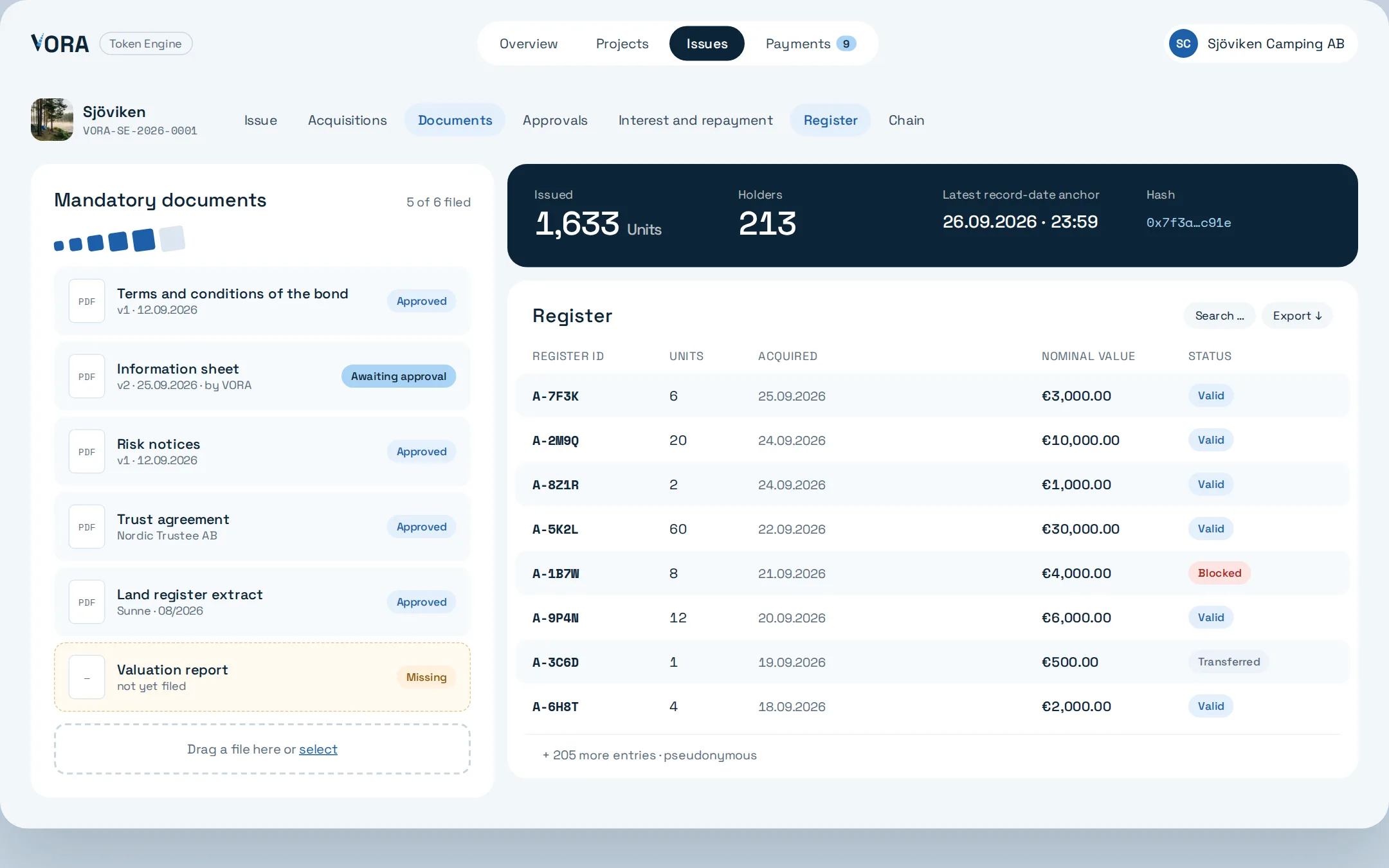
Register and documents
The register keeps every holder under a pseudonymous register ID. Mandatory documents are kept in one place; record-date anchors secure the status with a hash.
- 08ISSUER
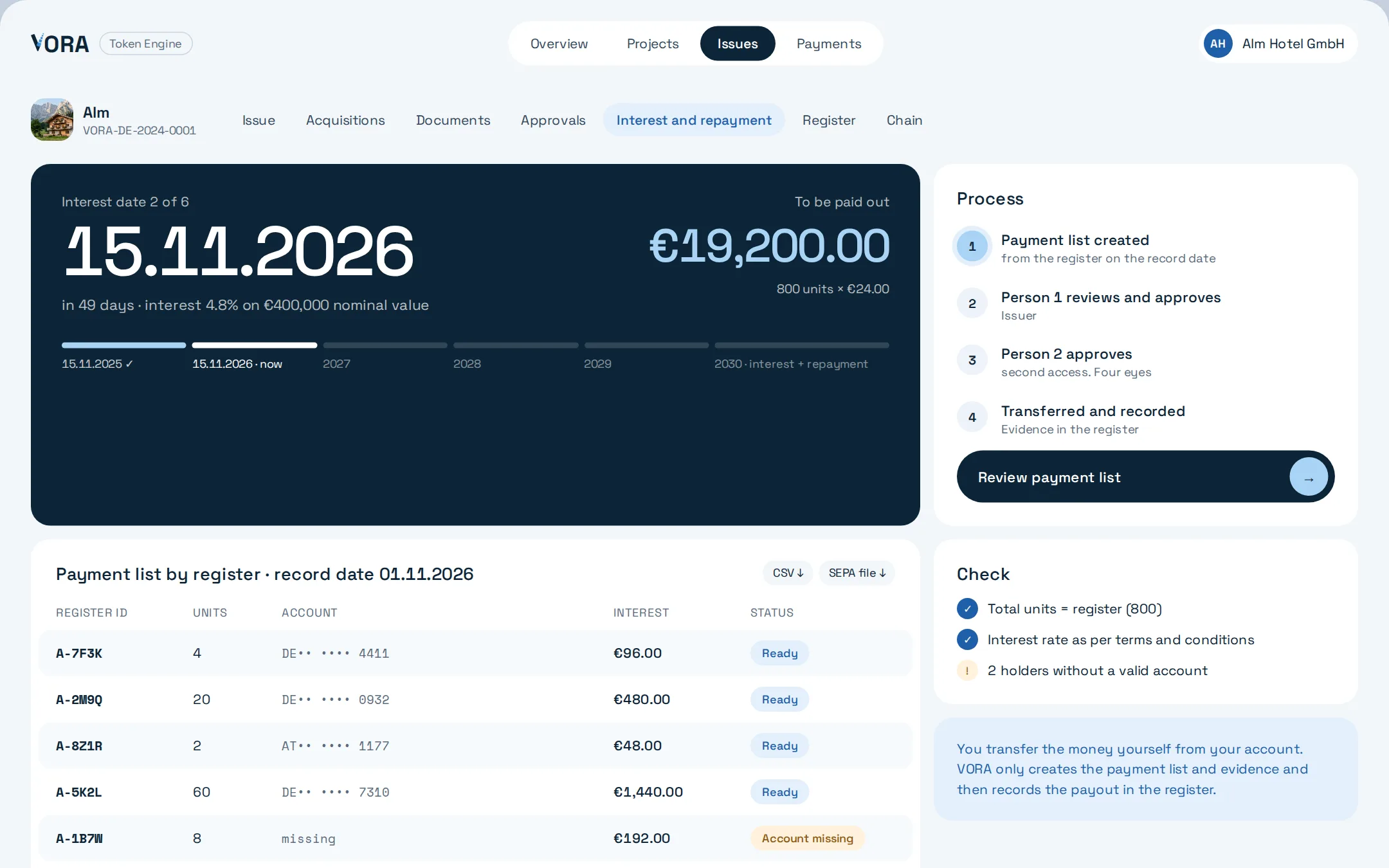
Interest and repayment
On the interest date the software creates the payment list from the register, including CSV and SEPA files, and checks totals and interest rate against the terms and conditions of the bond. The transfer is made from the issuer's account.
- 09INVESTOR
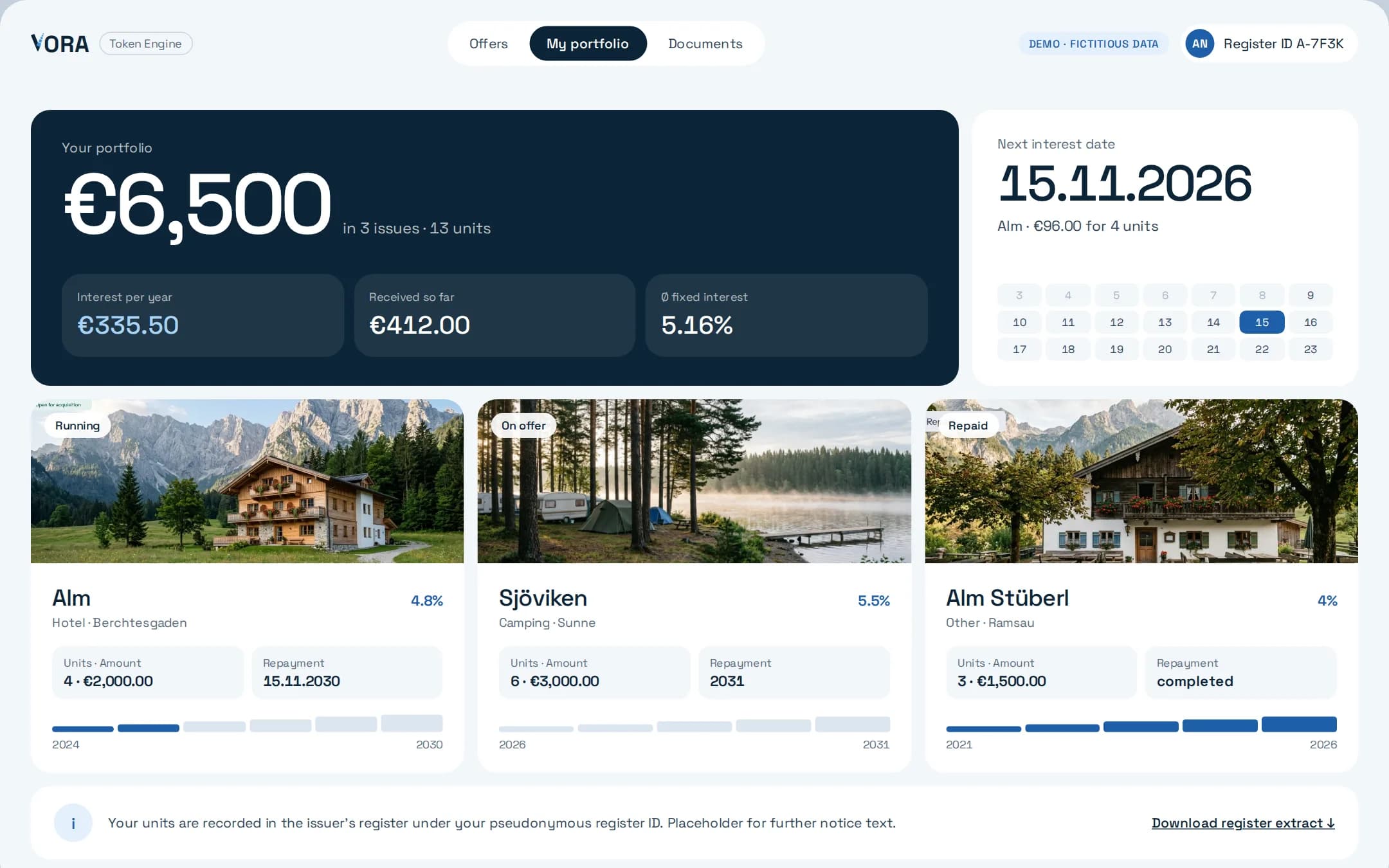
Portfolio
Investors see their units, interest received and the next interest date, and download their register extract themselves.
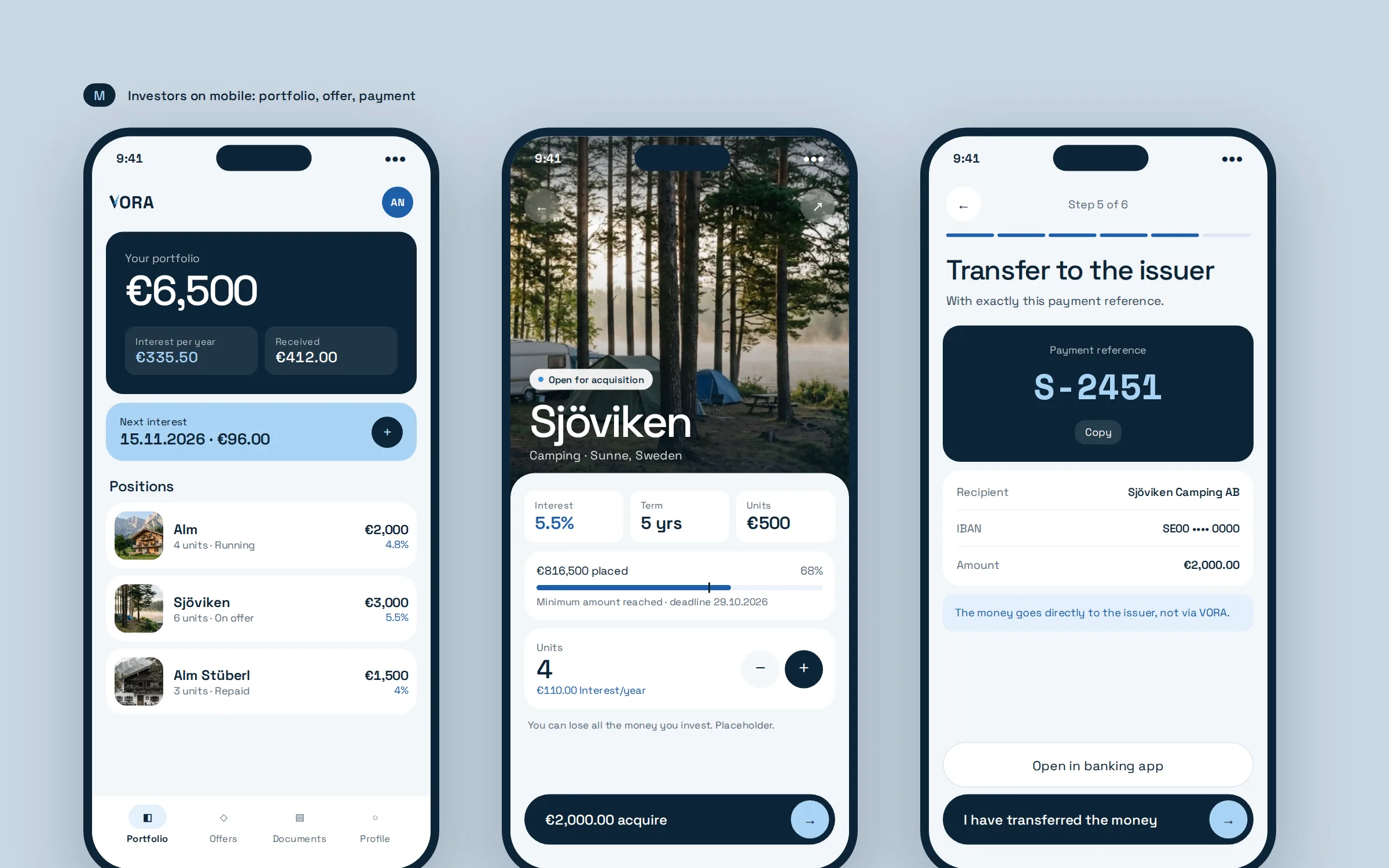
Portfolio, offer and payment in your pocket.
The investor view is built for the phone. Portfolio, offer and payment work there just as they do on the computer.
Everyone sees what they need.
VORA Admin
Reviews requests, creates projects and proposes approvals.
Issuer
Prepares the issue, decides on approvals, matches payments and carries out interest and repayment.
Investor
Sees offers, acquires units in one flow and follows interest in the portfolio.
Observer
Sees an offer without an account, for example for review by advisers or the press.
See the Token Engine in action.
In a conversation we walk you through the entire process, using your project as the example.